Make your own labels
As well as printing labels for stock items from the database you can now print labels with any text you like
Go to label printer - click print on the lists page menu bar, print labels and the user text tab
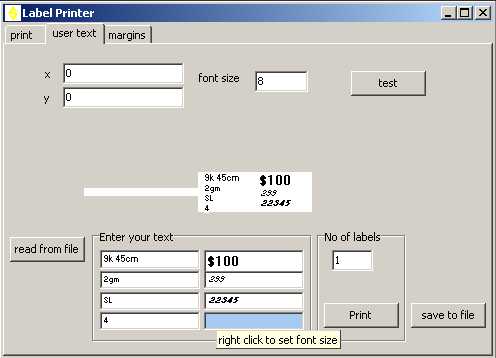
enter your text in the edit boxes and the preview label appears
change font by right clicking - choose font, font size, bold, italic
to reuse your label click on the "save to file" button and next time you need it click "read from file"